> For the complete documentation index, see [llms.txt](https://docs.tryterra.co/llms.txt). Markdown versions of documentation pages are available by appending `.md` to page URLs; this page is available as [Markdown](https://docs.tryterra.co/developer-tools/example-apps/terra-pulse.md).
# Streaming Web Example
A React web app for the Streaming API: connect to Terra as a consumer, receive live biometrics over a WebSocket, and render them on a real-time dashboard.
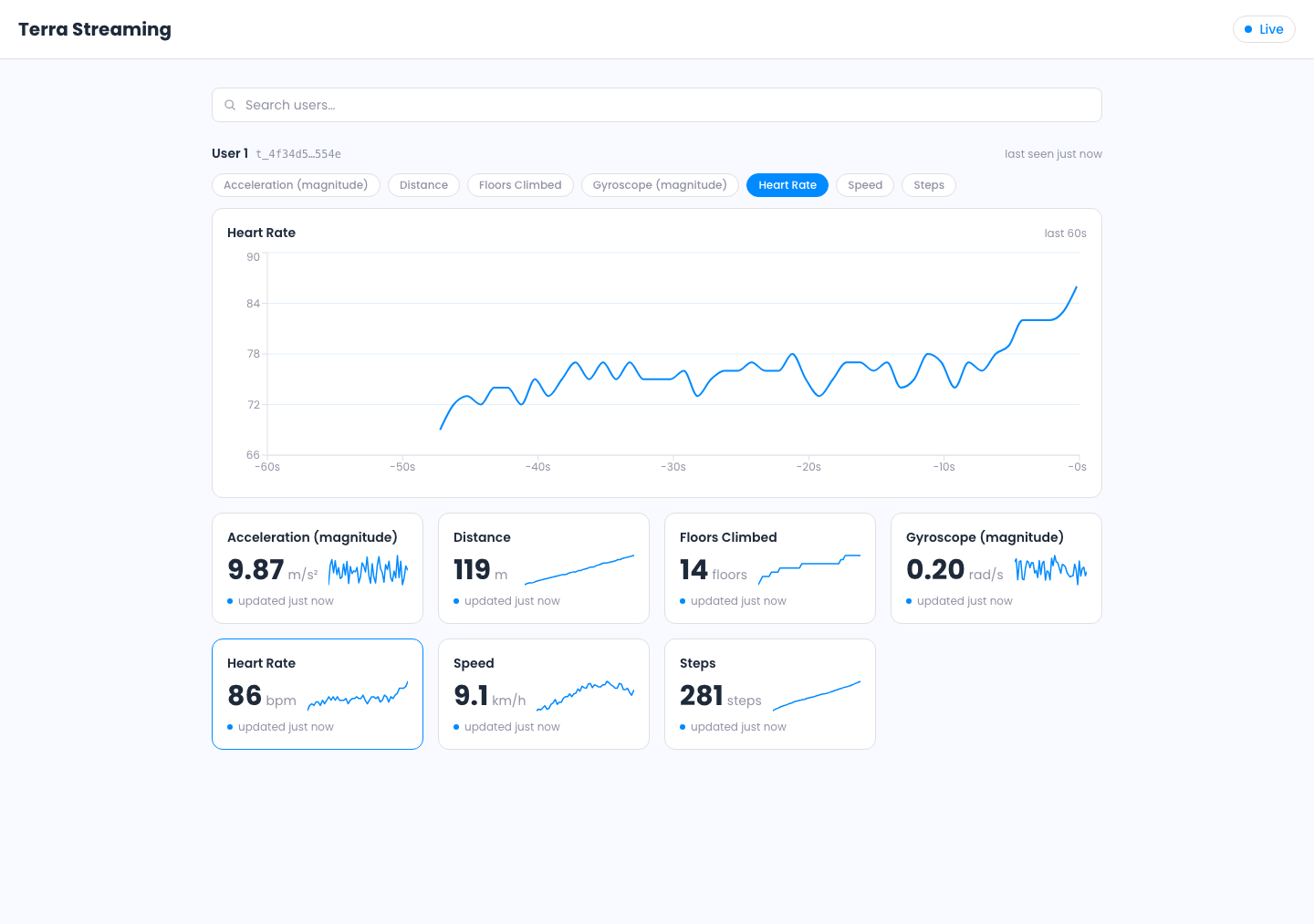
Terra Pulse is a React web app that consumes real-time wearable data from Terra, built on the [Streaming API](https://docs.tryterra.co/streaming-api/getting-started) with no SDK. It opens a WebSocket to Terra's broker, authenticates as a consumer, and renders every reading as it arrives.
It is the consumer half of a Streaming API integration. A small Express endpoint stands in for your backend so your API key never reaches the browser. For the producer half, see [Terra Grip](/developer-tools/example-apps/terra-grip.md).
```bash
terra examples clone streaming-consumer-web-app my-app
cd my-app && npm install && npm run dev
```
## What it demonstrates
* [Opening a consumer connection](https://docs.tryterra.co/streaming-api/terra-greater-than-your-backend) and receiving live `DISPATCH` readings
* Minting a single-use developer token from your backend, keeping your API key out of the browser
* The connection lifecycle (`HELLO` → `IDENTIFY` → `READY` → `DISPATCH`) with jittered heartbeats and a close-code policy
* Reconnects with fresh tokens and exponential backoff, separating retryable drops from protocol bugs
* Per-user, per-type rolling buffers feeding a scrolling chart and sparkline cards
Readings render live, demultiplexed per user and per data type
## Run it yourself
{% hint style="info" %}
**Prerequisites:** [Terra CLI](/developer-tools/terra-cli/installation.md), [Node.js](https://nodejs.org/) 18+ and a Terra **Dev ID** and **API key** from the [dashboard](https://dashboard.tryterra.co). No hardware required.
{% endhint %}
{% stepper %}
{% step %}
#### Download and configure
```bash
terra examples clone streaming-consumer-web-app my-app
cd my-app
npm install
cp .env.example .env
```
Paste your Dev ID and API key into `.env`. They stay server-side, read only by the token server.
{% endstep %}
{% step %}
#### Start it
```bash
npm run dev
```
This runs the token server on port 4000 and Vite on 5173. Open . The header pill turns from **Connecting…** to **Live** once Terra sends `READY`.
{% endstep %}
{% step %}
#### Produce some data
The consumer only receives. On the [streaming page](https://dashboard.tryterra.co/dashboard/streaming?create=1), click **+ Test User** and choose **Generate test data**. A user section appears as soon as data flows.
{% endstep %}
{% endstepper %}
## How the integration works
`src/lib/consumer.ts` holds the integration. On `HELLO` it sends `IDENTIFY` before anything else, since the server closes the socket if `IDENTIFY` does not arrive within 15 seconds, then starts a jittered heartbeat.
{% code title="src/lib/consumer.ts" %}
```typescript
case Op.HELLO: {
// IDENTIFY goes out first (type 1 = consumer); the server closes 4000
// if it doesn't arrive within 15s. Exactly once per connection.
this.send({ op: Op.IDENTIFY, d: { token, type: IDENTIFY_TYPE_DEVELOPER } });
// First beat after interval * random() so reconnecting clients don't sync.
this.scheduleHeartbeat(interval * Math.random(), interval);
break;
}
```
{% endcode %}
Terra consumes the token on a successful `IDENTIFY`, so the consumer mints a fresh one before every connection attempt, including reconnects. Tokens come from an injected `mintToken` closure, the only place the client knows where they come from. To reuse the consumer, copy the file and point `mintToken` at your own endpoint.
## Explore the code
View the source
| Path | What it holds |
| --------------------- | ---------------------------------------------------- |
| `src/lib/consumer.ts` | Protocol lifecycle, heartbeat, reconnect; start here |
| `src/lib/protocol.ts` | Opcodes, close codes, frame types, parse guard |
| `src/lib/store.ts` | Rolling buffers and coalesced re-renders |
| `src/lib/stream.ts` | Singleton wiring and the `mintToken` seam |
| `server/index.ts` | The token endpoint, a stand-in for your backend |
| `src/components/` | Status pill, stat cards, sparklines, live chart |