> For the complete documentation index, see [llms.txt](https://docs.tryterra.co/llms.txt). Markdown versions of documentation pages are available by appending `.md` to page URLs; this page is available as [Markdown](https://docs.tryterra.co/developer-tools/example-apps/terra-basecamp.md).
# Unified API Example
A complete Unified API integration: wearable connections, webhook ingestion, multi-device deduplication, a live dashboard, and an AI health assistant.
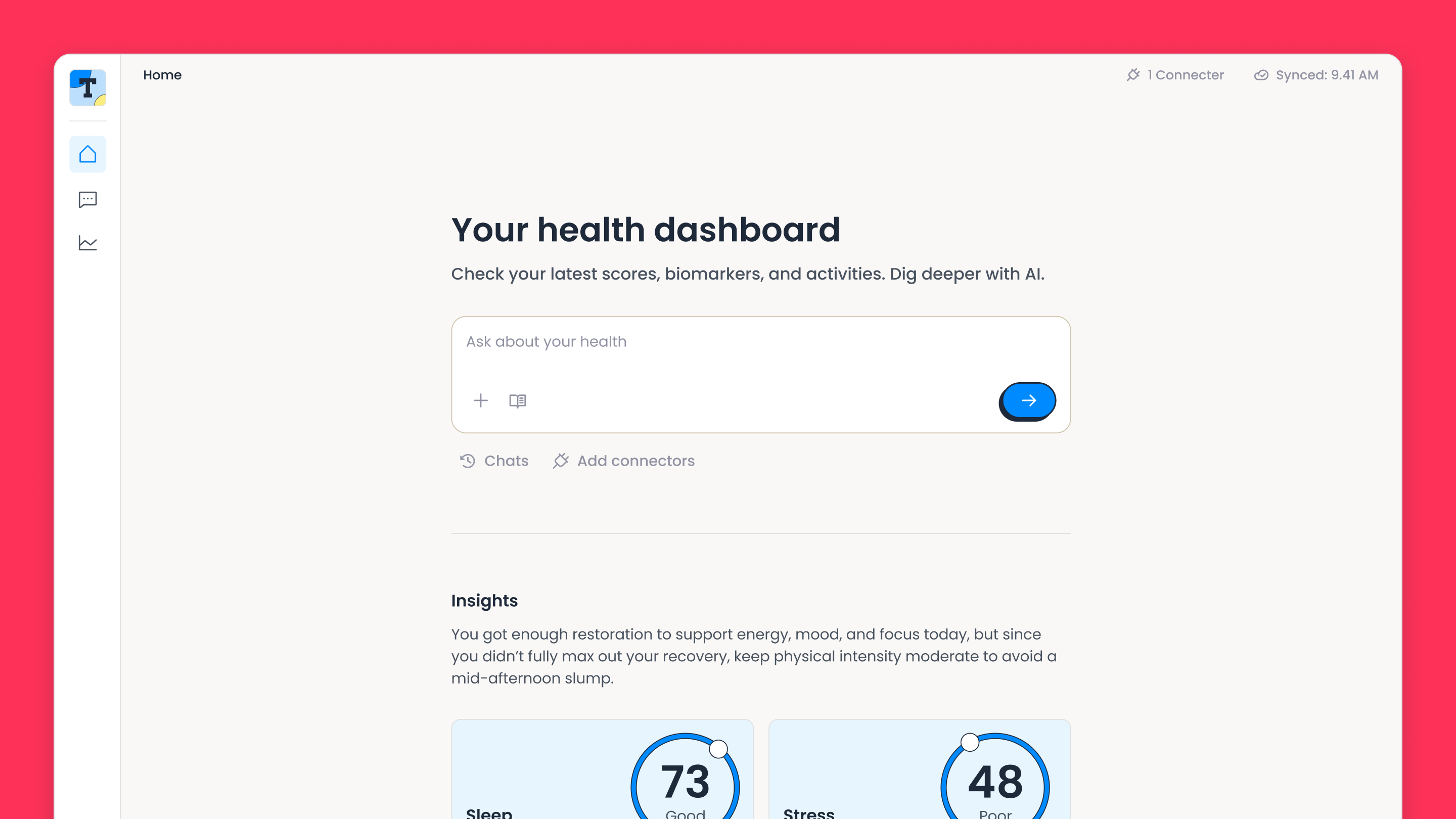
Terra Basecamp is a health data platform built on the Unified API. Users connect their wearables and the app merges the data into a daily dashboard, with an AI assistant on top. It runs as a single Cloudflare Worker backed by Neon Postgres.
```bash
terra examples clone unified-api-web-app my-app
```
## What it demonstrates
* [User authentication](https://docs.tryterra.co/unified-api/user-authentication/implementation-custom-ui) from a custom UI, with `reference_id` linking
* [Webhook ingestion](https://docs.tryterra.co/unified-api/integration-setup/setting-up-data-destinations/webhooks) with signature verification and deduplication
* [Authentication events](https://docs.tryterra.co/unified-api/user-authentication/handling-authentication-events): auth, deauth, reauth, and permission changes
* [Historical backfill](https://docs.tryterra.co/unified-api/managing-user-health-data/requesting-historical-data) of 30 days when a device connects
* Multi-device deduplication by provider priority
* Reconciliation every 6 hours via cron
* An AI assistant built on Terra's MCP tools
The dashboard summarises daily scores across every connected device
## Run it yourself
{% hint style="info" %}
**Prerequisites:** [Terra CLI](/developer-tools/terra-cli/installation.md), [Node.js](https://nodejs.org/) v20+ and free [Neon](https://neon.tech/) and [Cloudflare](https://cloudflare.com/) accounts with [R2 enabled](https://dash.cloudflare.com/). Setup signs you in to both in the browser. The [repository README](https://github.com/tryterra/terra-examples/blob/main/examples/unified-api-web-app/README.md) lists every environment variable.
{% endhint %}
{% stepper %}
{% step %}
#### Deploy
```bash
terra examples clone unified-api-web-app my-app
cd my-app
npm install
npm run setup
```
`npm run setup` provisions a Neon database, a Worker, and an R2 bucket, runs migrations, deploys, and prints your **App URL**. It asks for your Terra `dev-id`, API key, and webhook signing secret from the [dashboard](https://dashboard.tryterra.co/). Re-running it is idempotent.
{% endstep %}
{% step %}
#### Point webhooks at your app
Set your [webhook destination](https://docs.tryterra.co/unified-api/integration-setup/setting-up-data-destinations/webhooks) URL to `https:///api/terra/webhook`.
{% endstep %}
{% step %}
#### Connect a wearable
Sign in with your email, open **Connectors**, and complete a provider's sign-in flow. Terra sends an `auth` webhook and a 30-day backfill starts. Without SendGrid configured, read the sign-in code from `npx wrangler tail`.
{% endstep %}
{% step %}
#### Watch it arrive
Open the **Dashboard** as the backfill lands. Connect a second device and overlapping data is merged by provider priority. Then try **Chat**: "How did I sleep this week?" Chat needs an `ANTHROPIC_API_KEY` and the Workers Paid plan.
{% endstep %}
{% endstepper %}
Develop locally with `npm run dev`, which uses a separate database branch, and ship with `npm run deploy`.
## How the integration works
The webhook endpoint verifies Terra's signature against the raw body before parsing JSON, then returns `200` immediately and processes asynchronously to stay inside Terra's timeout.
{% code title="Webhook endpoint" %}
```typescript
const terraWebhook = new Hono<{ Bindings: Env }>().post("/", async (c) => {
// Raw body required: verify the signature before JSON parsing
const rawBody = await c.req.text();
try {
await verifyTerraWebhookSignature(
rawBody,
c.req.header("terra-signature"),
c.env.TERRA_WEBHOOK_SECRET,
);
} catch {
return c.json({ error: "Invalid signature" }, 401);
}
// Return 200 immediately; process async to stay within Terra's timeout
c.executionCtx.waitUntil(processWebhookEvent(c.env, rawBody));
return c.json({ success: true });
});
```
{% endcode %}
The AI assistant connects to the [Terra MCP server](https://docs.tryterra.co/unified-api/managing-user-health-data/receiving-data-updates) exposed per connection and hands those tools to the model alongside its own chart tool, so it can fetch and visualise data in one turn.
## Explore the code
View the source
The repository ships its own guides:
| Guide | What it covers |
| ------------------------------------------------------------------------------------------------------------------------------------------------ | ------------------------------------------------ |
| [Terra webhooks](https://github.com/tryterra/terra-examples/blob/main/examples/unified-api-web-app/docs/terra-webhooks.md) | Ingestion pipeline, archiving, idempotency |
| [Auth & reconciliation](https://github.com/tryterra/terra-examples/blob/main/examples/unified-api-web-app/docs/terra-auth-and-reconciliation.md) | Connection lifecycle and the reconciliation cron |
| [Multi-device data](https://github.com/tryterra/terra-examples/blob/main/examples/unified-api-web-app/docs/terra-multi-device.md) | Provider priority and deduplication |
| [AI health assistant](https://github.com/tryterra/terra-examples/blob/main/examples/unified-api-web-app/docs/health-assistant.md) | Chat architecture, MCP tools, inline charting |
| [Infrastructure](https://github.com/tryterra/terra-examples/blob/main/examples/unified-api-web-app/docs/infrastructure.md) | Provisioning and deployment |